Ready to bring your Yamaha CP88 to life at your concerts? This guide will help you unlock its full potential on stage. With its NW-GH keyboard and intuitive interface, this instrument delivers exceptional sound quality.
Adapt it easily to different acoustics. Its 18.6 kg weight makes it practical to transport. Whether you are a professional or semi-professional musician, discover how to optimize every setting.
We will cover setup, audio parameters, and connectivity options. These tips will help you get the most from your equipment during live performances.
Introduction to the Yamaha CP88: stage essentials
Designed for musicians on the move, this keyboard combines precision and durability. Its NW-GH mechanism with wooden keys and synthetic surfaces faithfully reproduces the response of acoustic grand pianos. With three independent sections, it covers the full range of stage requirements.
A keyboard designed for live performance
The NW-GH action uses keyboard keys with synthetic ebony and ivory surfaces. Each note features precise grading, providing exceptional dynamic control. Pianists appreciate the feel, which is close to that of premium acoustic instruments.
The stage-oriented interface simplifies adjustments during concerts. Dedicated controls and the OLED display remain readable in any lighting. Its ergonomics are designed for quick transitions between sounds.
Portability and durability: major advantages
At 18.6 kg, its aluminum chassis is lighter than competitors such as the Nord Piano 5 (21.5 kg). Perfect for frequent touring, it withstands impacts thanks to its reinforced construction.
The case is compatible with SC-CP88 bags and X-Tone stands. Ideal for moving between the stage and studio, it fits into any setup. It strikes a rare balance between light weight and professional durability.
Initial preparation: unboxing and setup
Before making your instrument sing, careful setup is essential. Take time to check every supplied component to avoid unpleasant surprises on stage.
Mounting it on a suitable stand
Choose a stable stand such as the X-Tone XH6102 or the RTX SCT. These models can comfortably support its 129.8 cm length and 18.6 kg weight.
Proceed step by step:
- Place the stand on a level surface
- Lock the safety mechanisms
- Add the included FC3A pedal
Connecting the cables
Connect the 230 V power supply first, followed by the audio outputs. Use this chart for optimal cabling:
| Port | Function | Cable type |
|---|---|---|
| XLR L/R | Main output | Balanced XLR |
| 6.35 mm jack | Headphone monitoring | Stereo jack |
| USB | Updates | USB-B |
For the initial settings:
- Set volume to 50%
- Set the EQ to neutral
- Test every key with its synthetic ivory surface
In the studio or live, these precautions ensure professional sound capture from the very first chord.
Configuring the NW-GH keyboard: optimizing the feel
Customizing your instrument’s touch radically changes the way you play on stage. The NW-GH mechanism, fitted with high-precision sensors, lets you adapt the key response to your style.
Adjusting key sensitivity
The three sensors per key provide exceptional gradation. Open the “Touch Curve” menu to choose from four profiles:
- Light: ideal for fast arpeggios
- Medium: the perfect balance for pop and rock
- Hard: powerful dynamics for jazz
- Heavy: realistic acoustic response
Nicolas N., a professional pianist, confirms: “The feel of the synthetic ebony keys rivals that of premium acoustic pianos.”
Customizing the velocity curve
Combine these settings with the FC7 pedal to achieve subtle nuances. Here is how to adapt your setup:
- Test each preset with your song
- Adjust the curve to suit the room’s acoustics
- Save your preferences in a Live Set
Unlike the CP73, the CP88 offers a wider range of settings. Its keys with synthetic ebony and ivory surfaces reduce fatigue during long performances.
Exploring the built-in sounds
The Yamaha CP88 contains an impressive sound palette for enhancing your performances. With 128-note polyphony, it lets you create complex arrangements without dropouts. Each piano sound is produced from multilayer samples recorded under professional conditions.
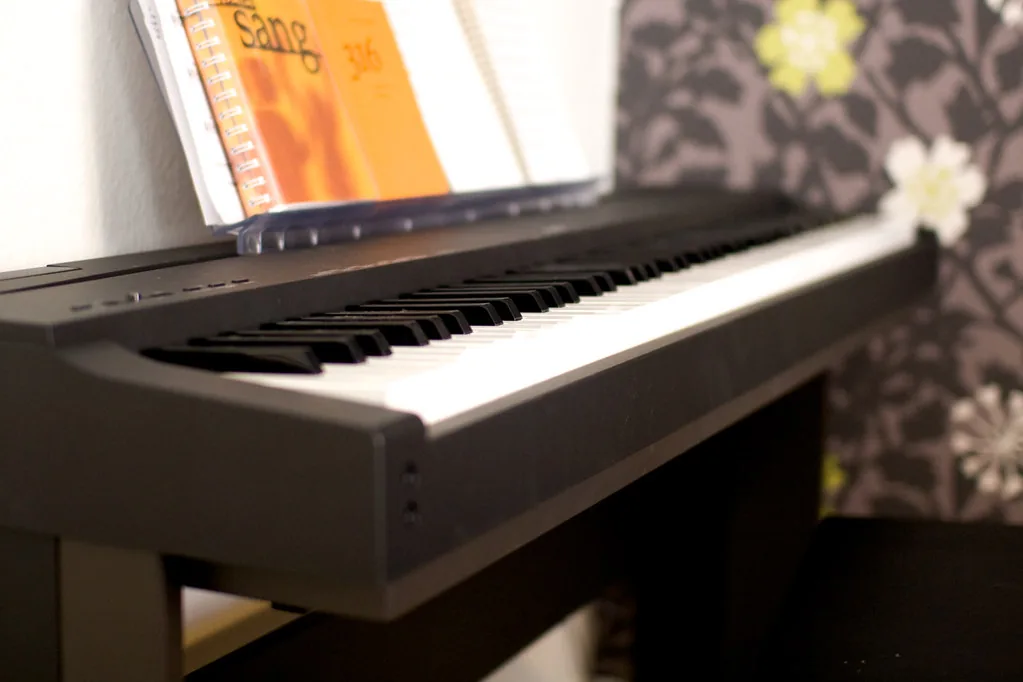
Acoustic pianos: CFX, Bösendorfer, S700
The CFX was recorded exclusively in the Yamaha concert hall. Its rich harmonics blend perfectly with Sub strings using the Mix parameter. Pro tip: reduce the bass level to prevent frequency conflicts.
The Bösendorfer Imperial contributes its velvety signature sound, ideal for classical music. Unlike the Sub organs mentioned by Alain Xavier R., these acoustic sounds provide uncompressed dynamics.
Vintage electric pianos: Rhodes, Wurlitzer
The 78 Rd preset captures the essence of the Rhodes Mk V with its characteristic attack. Perfect for funk, it gains warmth from a light analog delay. The keys with synthetic ebony and ivory surfaces faithfully reproduce the feel of the originals.
The Wurlitzer 200A provides warm mids complemented by adjustable vibrato. Enable SSS (Seamless Sound Switching) to move between banks without interruption.
Sub sounds: pads and strings for arrangements
Synth pads add depth to solo performances. Use the pan settings to create an immersive stereo space. Be mindful of polyphony limits in dense passages.
Combine strings with the Bösendorfer to create moving ballads. The intuitive layering system enables subtle blends in real time.
Organizing Live Sets for your songs
Managing your configurations quickly is essential during performances. The Yamaha CP88 provides 20 banks of eight slots for storing your settings. This is a key feature for moving from one song to the next without interruption.
Creating presets for each song
Here is how to optimize your workflow:
- Combine splits and layers (for example, piano in the left hand and a pad in the right)
- Name each preset using the OLED display for instant identification
- Include EQ and effect settings directly in the preset
For a cover such as “Let It Be,” create:
- A piano layer with subtle strings
- A moderate reverb effect (level at 45%)
- A Medium velocity curve for expressive dynamics
Managing stage memories
Backing up to a USB flash drive protects your configurations. It is essential when you use rented instruments. Export your Live Sets before every tour.
Pro tip: test each preset at different sound levels. Some settings need adjustment according to the size of the room.
Configuring effects for professional sound
Mastering the effects radically transforms your musical performances. The VCM (Virtual Circuit Modeling) system accurately reproduces the characteristics of legendary analog processors. It provides creative freedom without compromising quality.
Effects chain by section
Each sound family has dedicated processing:
- Pianos: plate reverb + three-band EQ
- Electric pianos: chorus + rotary speaker
- Sub: stereo delay + high-pass filter
The table below summarizes the optimal settings:
| Sound type | Main effect | Key parameter |
|---|---|---|
| CFX Concert | Hall Reverb | Decay: 2.3 s |
| Rhodes MkI | Phaser | Rate: 0.8 Hz |
| Pads Strings | Ping-Pong Delay | Feedback: 40% |
Stage reverb and delay
For amplified venues, choose Hall reverb with these parameters:
- Pre-delay: 25 ms
- Damping: Medium
- Mix: 30% maximum
The rotary speaker adds authentic movement to Wurlitzer sounds. Avoid excessive high frequencies to preserve the warmth of the vintage tones.
Amp modeling and vintage effects
Drive provides subtle saturation that is ideal for blues rock. Set it between 15% and 25% to retain note clarity.
“The balance between ease of use and depth of control is remarkable. The effects sound authentic, without complex menus.”
The only notable limitation is the lack of a built-in looper. Make up for it with external solutions for solo performances.
Audio setup for the stage
Achieving optimal sound on stage requires precise audio configuration. The Yamaha CP88 offers several options to suit every concert situation.
Choosing between XLR and jack outputs
The balanced XLR outputs provide better immunity to interference. Perfect for long cable runs, they preserve the signal’s quality.
Use the jack line inputs to connect a second keyboard. Enable ground lift if a persistent hum occurs.
EQ for the room acoustics
Adapt your EQ to the size of the venue:
- Small spaces: +2 dB in the upper mids
- Large venues: cut the lows using the built-in HPF
Always check the phase with the sound engineer. Shielded cables reduce electromagnetic interference.
| Output type | Maximum distance | Advantage |
|---|---|---|
| XLR | 100 m | Noise reduction |
| 6.35 mm jack | 15 m | Universal compatibility |
Precise adjustment makes the difference between a good concert and a great one. Test your settings before the big day to avoid unpleasant surprises.
Advanced connectivity: MIDI and USB
Unlock the full MIDI and USB potential of your instrument. These features expand its capabilities for live performance and studio recording. They enable seamless integration with your existing equipment.
Connecting to a PA system
The CP88 offers several options for PA systems:
- Balanced XLR outputs for long cable runs
- Standard 6.35 mm jack connectors
- Headphone output for personalized monitoring
For touring, use shielded cables. They minimize interference in electrically noisy environments.
Integrating with a computer
Class-compliant USB support simplifies connection:
- Connect it directly to your Mac or PC
- Select the CP88 as the audio device
- Configure your DAW (Logic Pro, Cubase)
Control VST instruments such as Pianoteq through the MIDI DIN ports. Share your settings with the community through Soundmondo.
| Function | Use | Tip |
|---|---|---|
| USB audio | Multitrack recording | 24-bit/192 kHz sampling |
| MIDI | External control | Map the faders to parameters |
Note: on Windows, install the Yamaha drivers to achieve minimum latency. The line input accepts external sources such as samplers.
“The connection flexibility makes it possible to adapt the setup to every venue. A real advantage for working musicians.”
Using pedals and external controllers
Pedals turn your playing into a more expressive experience. They add nuances that are impossible to reproduce manually. The Yamaha CP88 supports various accessories for optimal control.
Configuring the FC3A sustain pedal
The FC3A provides a progressive response that is ideal for sustain effects. Enable the half-pedal function through the system menu:
- Open “Pedal Settings”
- Adjust the sensitivity between 30% and 70%
- Test it with complex chords
Tip: precise calibration prevents abrupt cutoffs in legato passages.
Adding an FC7 expression pedal
Assign the FC7 to different parameters:
- Master volume for dynamic crescendos
- Rotary-speaker speed (vintage effect)
- Real-time delay intensity
“The FC7 let me add subtle variations during solos. Essential for demanding pianists.”
The CP88 is compatible with third-party models such as the Roland DP-10. Remember to check for firmware updates to take advantage of expanded features.
Optimizing onstage monitoring
Good monitoring is crucial to a successful performance. The Yamaha CP88 offers smart solutions for accurate monitoring, whether through headphones or monitors.

Adjusting headphone monitoring
The dedicated headphone output incorporates Silent Piano technology. It guarantees exceptional audio quality, even at low volume.
For a balanced mix:
- 70% keyboard in the foreground
- 30% for the rest of the music
- Adjust the main and headphone volumes separately
The Focal Listen Pro (€129) is recommended for its accuracy. Its passive isolation reduces unwanted noise.
Managing monitor levels
Position the monitors at 45° to avoid feedback. This technique preserves the clarity of the tones.
Additional solutions:
- Portable acoustic panels for isolation
- A graphic equalizer to cut problematic frequencies
- Level testing before every concert
| Element | Ideal setting | Tip |
|---|---|---|
| Headphone volume | 80 dB max. | Protects hearing |
| Monitor distance | 1 to 2 meters | Prevents interference |
| Key frequencies | 200 Hz to 5 kHz | Better intelligibility |
“Accurate monitoring changes everything on stage. The CP88 provides professional tools for adapting to every environment.”
Updating the firmware to access the latest features
Keeping your instrument up to date ensures optimal performance. Yamaha regularly improves its firmware, adding sounds and fixing bugs. Version 1.1 now includes the Yamaha C7 piano and the 67 Rd Rhodes.
Safe download and installation
Follow these steps to avoid any risk:
- Download the file from Yamaha’s official website
- Format a USB flash drive as FAT32
- Copy the .PRG file to the root directory
- Connect the drive and go to Menu > System > Update
Never disconnect the power during the operation. Consult the manual for any error codes.
New sounds and improvements
Firmware 1.1 adds:
- High-definition C7 sampling
- Improved dynamic response for electric pianos
- Greater Live Set stability
“The new sounds have expanded my creative palette. The C7 offers exceptional clarity in the upper register.”
| Version | Main features | Date |
|---|---|---|
| 1.0 | Initial release | 2022 |
| 1.1 | C7, 67 Rd, optimizations | 2023 |
To check your current version, go to Menu > System > Info. Back up your presets before any update.
Recommended accessories for stage use
For flawless performances, complementary equipment makes all the difference. Protecting and optimizing your instrument requires specialized accessories. Here are the essentials for professional musicians.
SC-CP88 carrying case
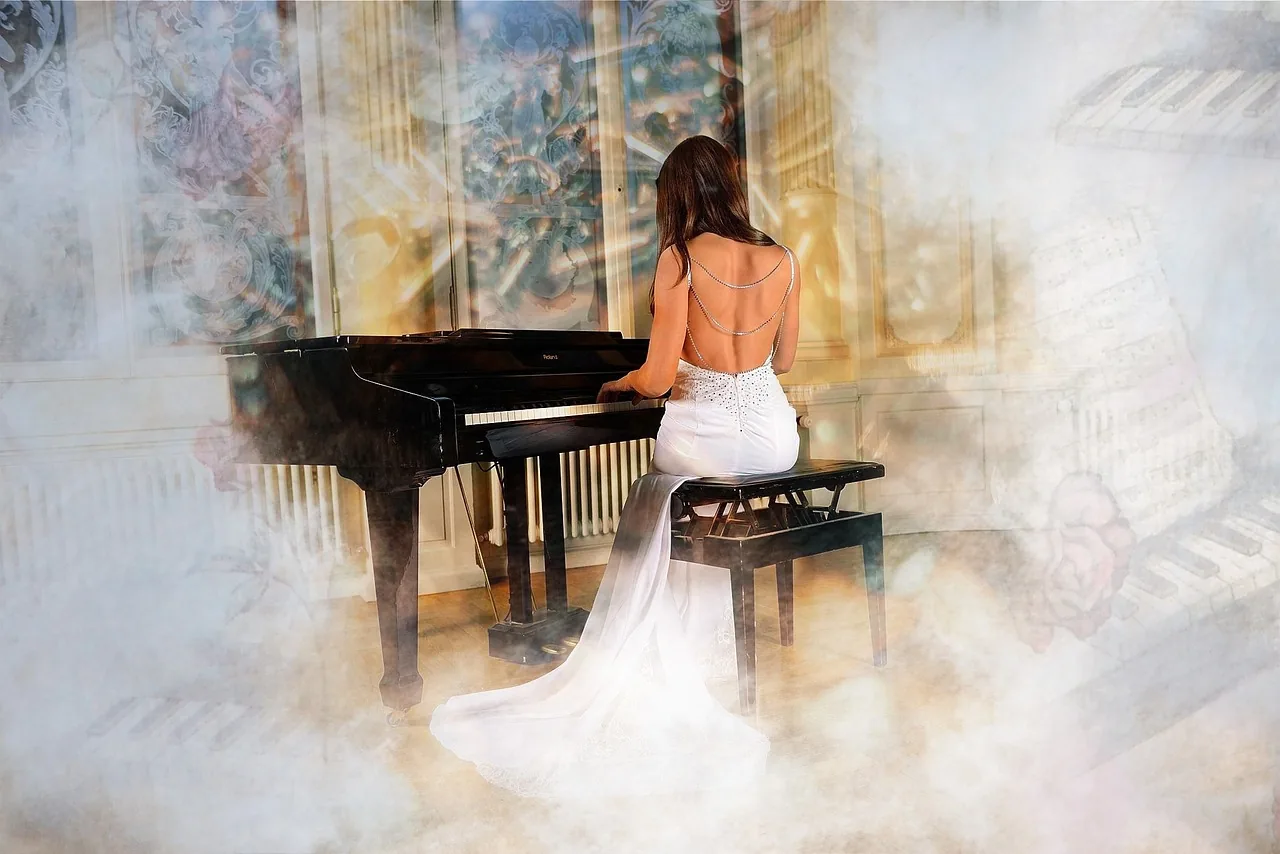
The official Yamaha case (€259) fits the instrument’s contours perfectly. Its 20 mm padding protects it from impacts while traveling. Compared with third-party models, it offers superior build quality.
Key advantages:
- Internal pockets for cables and pedals
- Reinforced corners made from compressed wood
- Reinforced handles for easy transport
Sturdy stands and music stands
The X-Tone XH6102 stand (€44.90) provides optimal stability. Its double-braced structure supports up to 50 kg. Combined with the YMR-04 music stand, it creates an ergonomic playing setup.
Additional solutions:
- Tray for sheet music or a digital tablet (optional)
- Equipment insurance for touring
- Anti-theft protection for festivals
“After three years of intensive use, my Yamaha accessories show exceptional durability. An investment worth every cent.”
Find more advice on equipping your piano from our specialist partner.
| Accessory | Average price | Key advantage |
|---|---|---|
| SC-CP88 case | €259 | Custom-fit protection |
| XH6102 stand | €44.90 | Professional stability |
| YMR-04 music stand | €89 | Adjustable height |
According to user reviews, these accessories significantly improve the onstage experience. Always choose durable materials for intensive use.
Quick troubleshooting: solutions to common problems
Resolving technical issues quickly ensures a smooth performance. Even with a high-quality instrument, certain malfunctions can occur. Here is how to anticipate and correct them.
Managing audio interference
Humming or crackling often disrupts the musical experience. Use this checklist to eliminate it:
- Check the condition of the cables (XLR or jack)
- Enable ground lift if necessary
- Move the instrument away from electromagnetic sources
For complex venues, a graphic equalizer can help. Reduce problematic frequencies, often between 200 Hz and 500 Hz.
Restoring factory settings
If the interface freezes, this procedure restores the original operating state:
- Switch off the unit
- Hold down the [STORE] + 7 keys
- Switch the unit back on while continuing to hold the keys
Tip: always back up your presets to a USB flash drive before this operation.
“In five years of intensive use, my CP88 has experienced only two minor problems. Its overall reliability is impressive for such a comprehensive instrument.”
For hardware failures, contact Yamaha support in your region. It provides responsive assistance from specialized technicians.
Conclusion: mastering your CP88 for memorable performances
A well-configured keyboard becomes an expressive extension of the musician. At 18.6 kg and with its NW-GH mechanism, it combines portability with a professional feel. The CFX and Bösendorfer sounds provide a palette suited to every style.
Test your settings in different venues to optimize them for the acoustics. Compared with the Nord Stage 4, the CP88 stands out for its sound quality and intuitive stage interface.
Explore updates regularly to discover new possibilities. Every live performance reveals new facets of this comprehensive instrument.
Whether you play in a club or on a large stage, this digital piano will meet your artistic requirements. It is a perfect union of technology and musical expression.
0 Comments